A Slack AI support chatbot helps your team answer common questions, route requests, and keep support work moving without forcing people to leave Slack. The goal is not to replace every human response; it is to make routine help faster, more consistent, and easier to track. This guide walks through how to plan, build, launch, and improve a chatbot for Slack using clear support workflows and practical Slack automation.
What do you need before you build a Slack AI support chatbot?
Before you build a Slack AI support chatbot, you need a clear support use case, reliable knowledge sources, access to the right Slack workspace settings, and a plan for when the bot should hand off to a person. The chatbot will only be useful if it understands what it is allowed to answer, where its answers come from, and how it should behave when it is unsure. Start with a narrow scope, then expand after you see how people actually use the assistant.
A strong setup usually includes:
- A defined audience: employees, customers in shared channels, internal IT users, sales teams, or support agents.
- A knowledge base: help center articles, internal docs, onboarding guides, policy pages, saved Slack answers, or product documentation.
- Slack permissions: access to create or install an app, connect channels, and configure message events or workflow triggers.
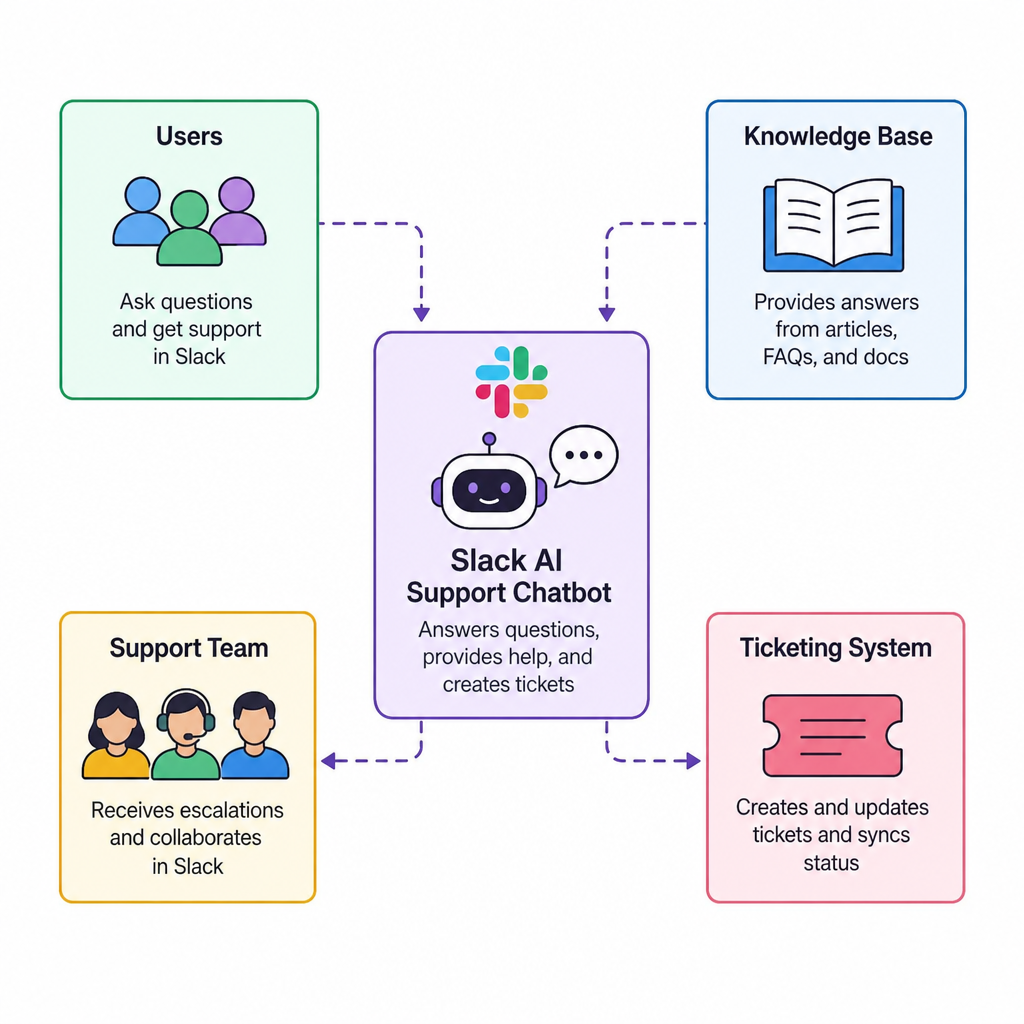
- A handoff path: a support channel, ticketing queue, triage team, or named owner for unresolved requests.
- Usage rules: what the bot can answer, what it must avoid, and when it should ask clarifying questions.
- Success measures: faster first response, fewer repeated questions, better routing, or cleaner support intake.
Map the support workflow before choosing tools
The best chatbot integration starts with a support workflow, not with a model or plugin. If you begin by choosing technology, you may end up automating a messy process. Instead, write down how a support request moves from question to answer today, including who sees it, where information is stored, and what slows the team down.
Look for repeatable moments where ai in Slack can reduce manual work. Common examples include answering password reset questions, explaining benefits policies, finding product documentation, collecting bug details, or routing billing questions to the right team. These tasks are good candidates because they follow patterns and often rely on existing written information.
Use this quick workflow map:
- Trigger: A user asks a question in a channel, direct message, form, or emoji-based workflow.
- Intent: The bot identifies whether the request is informational, urgent, technical, account-related, or out of scope.
- Answer source: The bot searches approved content or uses a defined process.
- Response: The bot gives a concise answer, links to the source, or asks for missing details.
- Escalation: The request goes to a human when confidence is low, the issue is sensitive, or action is required.
- Tracking: The conversation is logged, summarized, or converted into a ticket if needed.
This map becomes your build plan. It also helps prevent the chatbot for Slack from replying in places where a human review is safer or more appropriate.
1. Define the chatbot’s job in plain language
Start by writing a one-sentence job description for the bot. For example: “This assistant helps employees find HR policy answers in Slack and routes unanswered questions to the People team.” A simple statement like that gives you a practical boundary for design, testing, and launch.
Next, list the top categories the Slack AI support chatbot should handle. Keep the first version focused on a small group of high-volume questions. If the assistant tries to cover every department, every policy, and every product area from day one, testing becomes difficult and trust can suffer.
Clarify what the bot should not do. It may not make account changes, provide legal advice, interpret private employee issues, or answer from unapproved sources. These limits should be reflected in the bot’s instructions, response style, and escalation rules.
2. Prepare and organize your knowledge sources
A Slack AI support chatbot depends on clean, current, and easy-to-retrieve information. Gather the documents, articles, and internal resources the assistant should use. Remove duplicates, archive outdated content, and label documents by topic so the bot has a better chance of returning the right answer.
For each source, decide whether it is approved for automated answers. Some documents may be fine for internal reference but not suitable for direct responses. If a policy, troubleshooting guide, or product document needs expert review, update it before connecting it to the bot.
Create a simple content inventory:
| Source type | Example use | Preparation tip |
|---|---|---|
| Help articles | Product setup and troubleshooting | Keep titles clear and steps current |
| Internal wiki pages | HR, IT, finance, and operations support | Remove conflicting versions |
| Saved Slack answers | Repeated team responses | Rewrite informal answers into clear guidance |
| Ticket history | Common issue patterns | Summarize themes instead of exposing private details |
| Forms and templates | Intake for bugs, access, or requests | Make required fields obvious |
This preparation may feel less exciting than building the ai assistant Slack users will see, but it is one of the most important parts of the project. Better source material leads to better answers and fewer escalations.
3. Choose the right chatbot integration approach
There are several ways to add a chatbot for Slack, and the best option depends on your team’s resources and risk tolerance. A no-code or low-code approach can work well for simple intake, routing, and knowledge lookups. A custom app gives more control over permissions, data handling, response logic, and integrations with existing support systems.
For a lightweight setup, you might use Slack automation features to trigger a form, collect request details, and send them to a support channel. For a more advanced setup, you may connect an AI service to a Slack app so users can ask questions in natural language and receive answers based on approved content. If your support process already depends on a ticketing platform, connect the bot to that system so unresolved issues do not disappear in chat.
Evaluate each option against these practical criteria:
- Setup effort: Can your team maintain it without constant developer support?
- Permissions: Does it only access the channels, messages, and files it truly needs?
- Knowledge control: Can you restrict answers to approved sources?
- Escalation: Can it create tickets, notify humans, or route by topic?
- Auditability: Can you review conversations, errors, and handoffs?
- User experience: Does it feel natural inside Slack, or does it add friction?
The right chatbot integration should fit your workflow, not force your team to redesign support around a tool.
4. Design the conversation flow
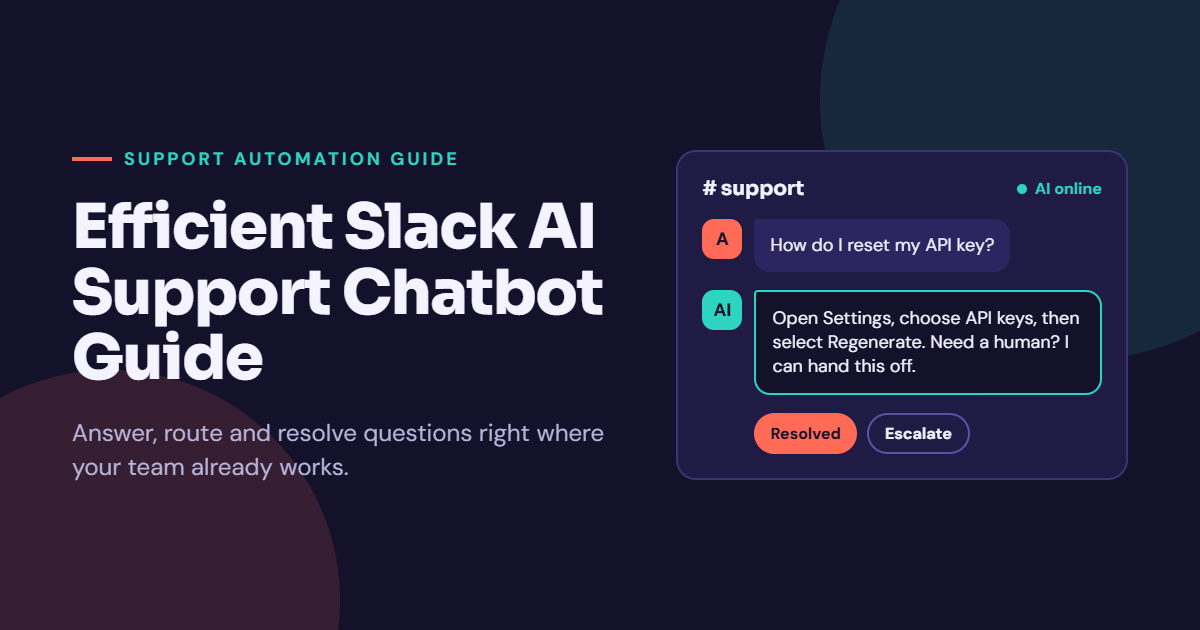
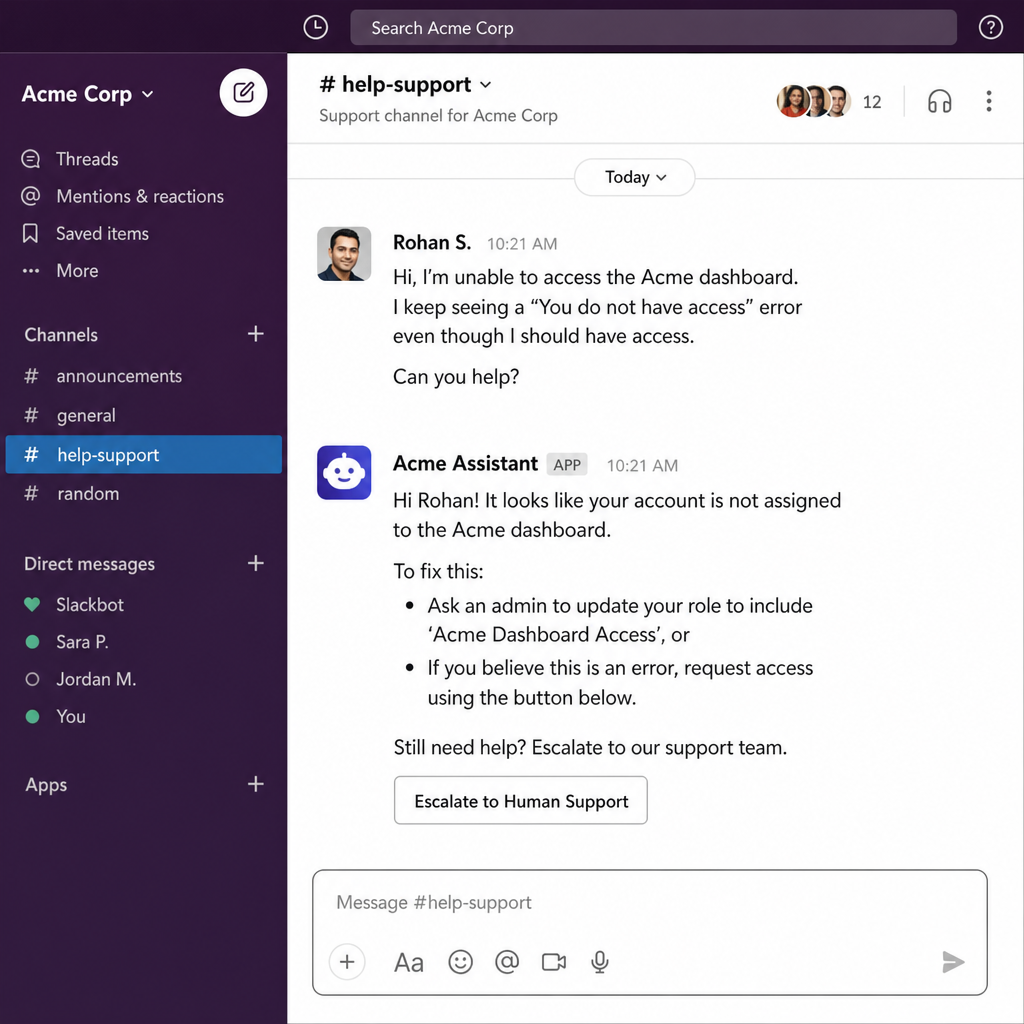
A helpful Slack AI support chatbot should feel quick, clear, and predictable. Design the first interaction so users immediately understand what the bot can do. A short greeting, a few example prompts, and a clear escalation option are usually better than a long introduction.
Plan for different types of requests. Some users will ask complete questions, while others will type short phrases like “VPN issue” or “expense deadline.” The assistant should know when to answer directly and when to ask a follow-up question, such as what device the user is using or which department the request belongs to.
A basic flow might look like this:
- User asks a question in a channel or direct message.
- Bot identifies the likely topic.
- Bot searches approved knowledge sources.
- Bot responds with a short answer and a useful link.
- Bot asks whether the answer solved the issue.
- If not, bot collects details and routes the request to a human.
Keep responses brief enough for Slack. Long explanations can overwhelm a channel, especially on mobile. When a topic needs detail, give a short answer first and link to the full source.
5. Set guardrails for accuracy, privacy, and tone
AI in Slack needs clear boundaries because conversations can include sensitive business, customer, or employee information. The bot should avoid guessing, exposing private details, or giving instructions beyond its approved role. A good support chatbot says when it is unsure and gives users a clear next step.
Write instructions that define tone and behavior. For most support use cases, the bot should be concise, friendly, and specific. It should avoid overpromising, avoid pretending to be human, and avoid giving a final answer when the source material is missing or unclear.
Useful guardrails include:
- Answer only from approved knowledge sources when the topic requires accuracy.
- Ask a clarifying question when the request is vague.
- Escalate sensitive, urgent, account-specific, or high-risk issues.
- Include links or references when possible so users can verify details.
- Do not collect unnecessary personal or confidential information.
- Use a consistent response format for common tasks.
These guardrails protect users and the business. They also make the ai assistant Slack experience more trustworthy because people know what to expect.
How should you test the bot before launch?
Test the bot with real support scenarios, edge cases, unclear questions, and handoff situations before making it widely available. The goal is to confirm that the assistant answers common questions well, admits uncertainty when needed, and routes unresolved issues correctly. Testing should include both the people who manage support and the people who will use the bot in normal Slack conversations.
Create a test set of questions from past support requests. Include easy questions, messy questions, incomplete requests, outdated terms, and topics the bot should not answer. Review not only the final answer but also how the bot arrived there, whether it used the right source, and whether the response was appropriate for Slack.
Use this pre-launch checklist:
- The bot answers the top common questions with useful, source-based responses.
- The bot asks follow-up questions instead of guessing when details are missing.
- The bot escalates out-of-scope or sensitive requests correctly.
- Channel notifications are helpful and not noisy.
- Users understand when they are talking to an AI assistant.
- Human support owners know where escalated requests appear.
- Logs or reports are available for review, if your setup supports them.
Invite a small pilot group before a full launch. Their feedback will reveal confusing prompts, missing articles, and workflow gaps that may not show up in a technical test.
6. Launch in one channel or team first
A phased launch is safer than opening the bot to the entire workspace immediately. Choose one team, department, or support channel where the use case is clear and the request volume is manageable. Tell users what the bot can help with, how to ask questions, and what to do if the answer is wrong.
Set expectations in the channel topic, pinned post, or launch message. Explain that the Slack AI support chatbot can answer common questions and route complex issues, but it may still need feedback. This transparency encourages people to report problems instead of silently losing trust.
During the first few weeks, watch for patterns. Are users asking questions outside the intended scope? Are they ignoring the bot because they do not know it exists? Are escalations reaching the right people? Use those observations to adjust prompts, source content, and workflow rules.
7. Connect escalation and ticketing workflows
A support chatbot becomes much more useful when it can move unresolved work to the right place. If the bot only says “I don’t know,” users are left with another dead end. Instead, design a handoff that captures context and reduces the effort required from both the requester and the support team.
For simple teams, escalation may mean posting a summary in a private support channel and tagging the right group. For more structured teams, the bot may create a ticket with the user’s question, category, conversation link, and collected details. The key is to avoid making the user repeat everything after the handoff.
A good escalation summary includes:
- The user’s original question.
- The topic or intent the bot detected.
- Any clarifying details the user provided.
- The answer or source the bot already tried.
- The channel or conversation where the request started.
- The urgency or priority, if your process uses one.
This is where slack automation can remove tedious coordination. The bot can collect consistent information, notify the right owner, and keep the requester updated without turning every question into a manual chase.
8. Measure performance and improve the knowledge base
After launch, treat the chatbot as an ongoing support system, not a one-time installation. Review the questions people ask, the answers they rate poorly, and the requests that still require human help. These signals show where documentation is missing, where the bot needs better instructions, and where the support process itself may need improvement.
Measure practical outcomes rather than vanity activity. A high message count does not always mean the bot is helping. Better indicators include fewer repeated questions, cleaner intake, faster routing, improved answer consistency, and fewer requests stuck without an owner.
Build a regular improvement loop:
- Review unanswered or escalated questions.
- Identify missing or unclear knowledge base content.
- Update the source material, not just the bot prompt.
- Retest the affected questions.
- Share changes with support owners.
- Expand to new topics only after the current scope is stable.
Over time, the Slack AI support chatbot can become a practical layer between people and the information they need. The teams that get the most value are usually the ones that keep improving their knowledge sources and workflows, not just the AI settings.
Keep the experience human, even when it is automated
The best ai in Slack feels useful because it respects how people already work. It gives quick answers, reduces repetitive support tasks, and knows when to bring in a person. It does not flood channels, hide uncertainty, or make users decode a complicated process.
If you are starting from scratch, begin with one clear support problem, one reliable knowledge base, and one well-defined escalation path. Build the first version small, test it with real questions, then expand only when the workflow is working. That approach gives your Slack AI support chatbot the best chance to become a trusted part of daily support instead of another tool people ignore.