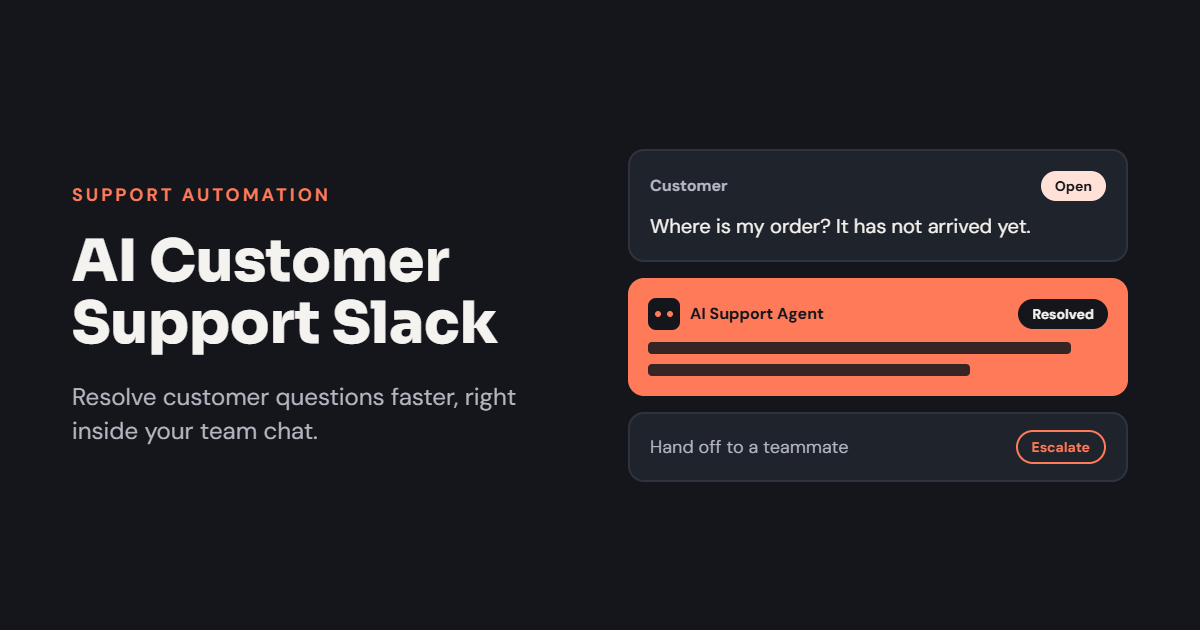
Customer expectations are changing rapidly. People want quick answers, personalized assistance, and reliable solutions without waiting hours for a response. For businesses managing multiple customer requests, meeting these expectations can become difficult without efficient communication and automation.
AI customer support Slack solutions help support teams organize conversations, find relevant information, automate repetitive tasks, and collaborate with specialists. By combining artificial intelligence with Slack-based workflows, businesses can reduce manual work and help agents resolve customer problems more efficiently.
Whether you operate a SaaS company, an online store, or a growing service business, integrating AI into your support process can improve the way your team handles customer inquiries.
What Is AI Customer Support in Slack?
AI customer support in Slack refers to using AI-powered assistants, chatbots, and automated workflows to help customer service teams manage requests within Slack.
These tools can understand natural language, summarize conversations, search knowledge bases, recommend solutions, and route issues to the appropriate team. Depending on the integrations available, they can also connect support conversations with help desk platforms, customer relationship management systems, and product documentation.
For example, when a customer reports a technical problem, an AI assistant may summarize the issue, find similar support cases, suggest troubleshooting steps, and help an agent prepare a response.
Slack can serve as the collaboration environment, while a dedicated help desk or customer support platform maintains ticket records and customer histories.
Key Benefits of AI Customer Support Slack Solutions
1. Faster Customer Issue Resolution
Searching through old conversations and documentation can delay support responses. An AI assistant can help agents locate relevant information without manually reviewing multiple sources.
It may identify similar cases, summarize previous solutions, and suggest practical next steps. This allows support representatives to spend less time researching routine problems and more time helping customers.
However, the quality of these suggestions depends on the accuracy of the available information and the integrations used.
2. Automated Support Workflows
Many customer service tasks follow predictable steps. These include creating tickets, assigning requests, sending status notifications, and collecting information about reported problems.
AI-powered Slack workflows can automate suitable parts of these processes. For instance, a chatbot may classify an incoming request and notify the appropriate department.
Automation helps reduce repetitive administrative work and makes support operations more consistent.
3. Better Team Collaboration
Some customer problems require assistance from engineering, billing, product development, or account management. Slack allows support agents to bring the relevant specialists into a conversation.
AI can make this collaboration more effective by summarizing the problem, highlighting previous troubleshooting steps, and identifying information that is still missing.
As a result, teams can investigate complicated issues with better context and clearer ownership.
4. More Consistent Customer Responses
Customers expect accurate and consistent answers regardless of which representative handles their request.
When connected to approved knowledge bases and support documentation, AI tools can help agents prepare responses that follow company policies and established procedures.
Support representatives should review generated answers before sending them, particularly when the information involves billing, account access, technical risks, or service commitments.
5. Improved Support Team Productivity
Support agents often handle several cases simultaneously. Switching between ticketing systems, internal documents, and messaging applications creates unnecessary friction.
An AI assistant can bring relevant summaries, recommended answers, and workflow actions into the team’s existing collaboration environment.
This can make everyday support tasks more manageable and give employees more time to focus on complicated customer needs.
Essential Features to Look For
Choosing the right AI customer support Slack solution requires evaluating the features that directly support your business operations.
Intelligent Search and Knowledge Retrieval
The assistant should find useful information in approved FAQs, product documentation, troubleshooting guides, and previous support cases. Source links or references are valuable because agents can verify the information before using it.
Ticket Management Integration
Look for compatibility with your existing help desk. Ideally, the integration should support ticket creation, assignment, status updates, and access to relevant case details.
Automatic Summaries
Conversation summaries help agents understand a customer’s issue quickly. Useful summaries include the problem, relevant history, actions already attempted, and recommended next steps.
Smart Routing and Escalation
The system should identify when a request needs a specialist or human intervention. Clear escalation rules help prevent complex or urgent problems from remaining unanswered.
Security and Permissions
Customer information must be handled carefully. Review data access controls, retention policies, integration permissions, and the provider’s security practices before connecting sensitive systems.
How to Implement AI Customer Support in Slack
Step 1: Identify Repetitive Support Problems
Review your team’s most common requests. Password assistance, product questions, troubleshooting, and ticket summaries may be suitable starting points.
Choose one workflow with a measurable benefit rather than automating every support activity immediately.
Step 2: Select a Suitable AI Tool
Compare Slack-compatible chatbots and AI assistants based on their capabilities, integration options, costs, and security requirements.
Determine whether you need an internal assistant for support agents, a customer-facing chatbot, or both. These serve different purposes and may require different configurations.
Step 3: Connect Reliable Knowledge Sources
Provide access to accurate product documentation, approved FAQs, and relevant support records. Keep these resources updated and ensure the assistant respects existing access permissions.
Step 4: Configure Workflows and Escalation Rules
Define when the assistant should answer questions, create tickets, notify specialists, or request human approval. Make sure each support case has a clear owner and a trackable status.
Step 5: Measure and Improve Results
Monitor first-response time, resolution time, customer satisfaction, escalation rates, and the accuracy of AI-generated suggestions.
Use this information to identify weaknesses and improve the system gradually.
Best Practices for AI-Powered Customer Support
AI should assist support professionals rather than replace human judgment in every situation. Make it clear when customers or employees are interacting with an automated assistant.
Use approved information sources, review generated responses, and provide an easy way to contact a human representative. Avoid allowing AI to make sensitive account changes or issue refunds without suitable authorization.
It is also important to measure actual outcomes. Faster responses are useful, but they do not guarantee better service if customers receive inaccurate or incomplete answers.
Conclusion
AI customer support Slack solutions can help businesses streamline customer service, automate routine tasks, improve collaboration, and provide support agents with faster access to important information.
The strongest implementation combines an AI assistant, reliable knowledge sources, a structured ticketing process, and clear human escalation rules. Start with one practical workflow, measure its performance, and expand only when the results justify it.
With the right setup, Slack can become a more effective workspace for coordinating support operations and delivering a better customer experience.
One thought on “AI Customer Support Slack: Improve Service Efficiency with Intelligent Automation”