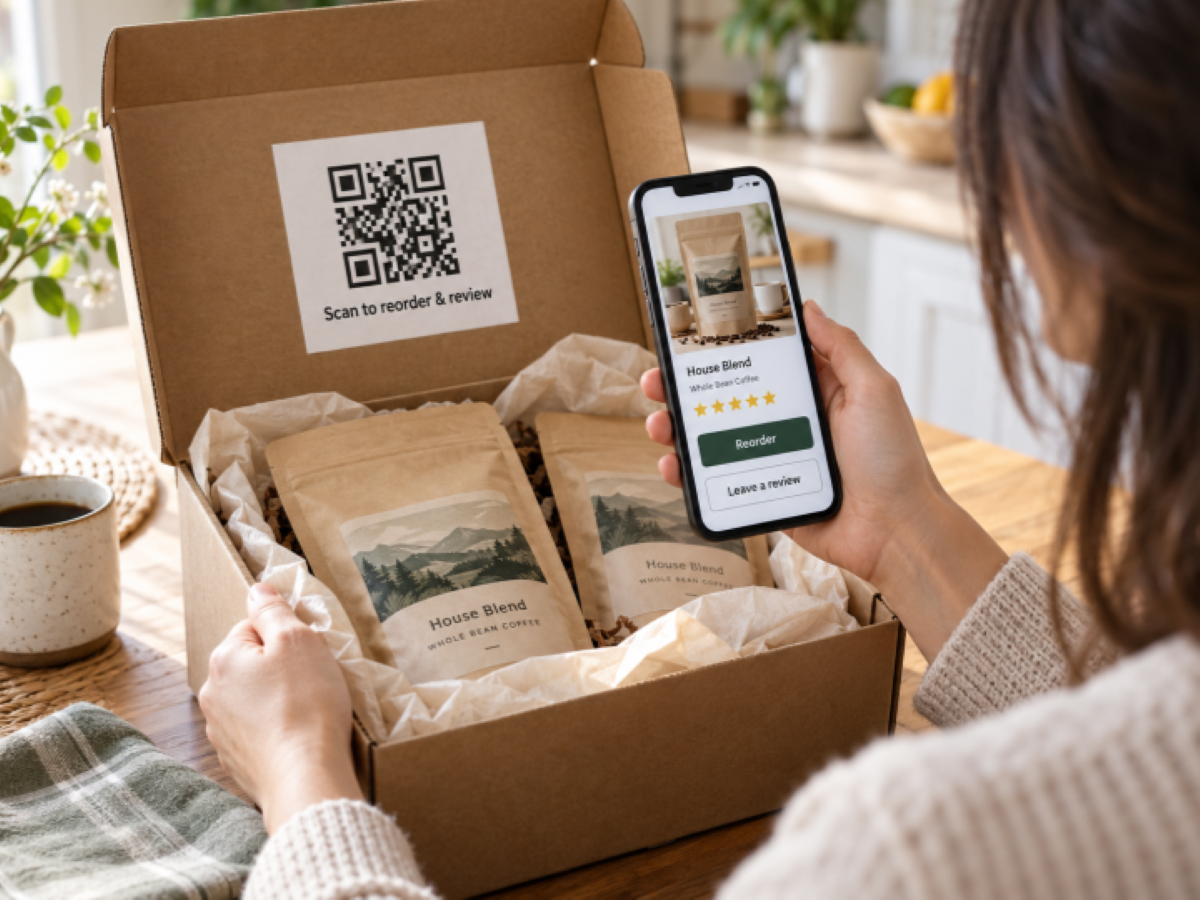
Every parcel you ship lands in the hands of someone who already trusts you enough to buy. Most online stores waste that moment with a plain box and a packing slip.
A QR code printed on the box, label, or insert changes that. One scan can take a customer to a setup video, a review page, a reorder link, or an offer for their next purchase.
This guide covers seven practical ways to use QR codes on packaging, how to design them so they scan, and how to measure what works.
Why Packaging Is Your Best Marketing Channel
Packaging is the one channel every customer sees, for free, at the moment they are most interested in your product. You do not pay for the impression; you already paid for the box.
The unboxing is also when questions appear. How do I set this up? How do I care for it? Where do I buy refills? A QR code answers those questions on the spot, before the customer goes searching and finds a competitor instead.
And unlike a printed leaflet, a QR code can open rich content: videos, live stock, current offers, or a form. Many brands now use QR codes on product packaging as a quiet bridge between the physical product and their online store.
7 Ways to Use QR Codes on Packaging
Each idea below works best on its own code, so you can see which one customers actually use.
1. Setup guides and how-to videos
Replace a folded paper manual with a short video or a mobile-friendly guide. Customers get clearer help, and you cut printing costs and paper waste.
2. Reviews from happy customers
The best time to ask for a review is when the product has just arrived and the customer is pleased. A Google review QR code on the insert opens your review form in one scan, with no searching for your business name.
3. One-scan reordering
For consumables such as coffee, skincare, supplements, or pet food, link the code straight to the product page or a subscription offer. Reordering becomes a ten-second task.
4. A reward for the next purchase
Print “Scan for 10% off your next order” and link to a page with the code or offer. It gives first-time buyers a clear reason to come back.
5. Social follows and customer photos
Invite customers to follow your brand or share their unboxing with a hashtag. User photos become free social proof for your next customers.
6. Ingredients, sourcing, and sustainability
Shoppers increasingly want to know where products come from. A code can open full ingredient lists, sourcing details, or recycling instructions that would never fit on the label.
7. Fast support
Link to a help page, a contact form, or a WhatsApp chat. Solving a problem quickly often turns a possible return into a loyal customer.
How to Design and Place the Code So It Scans
A QR code that fails to scan is worse than no code at all. These rules keep it working on every phone.
| Rule | Why it matters |
|---|---|
| Print at least 2 x 2 cm | Smaller codes fail on older phones and in low light |
| Keep strong contrast | A dark code on a light background scans most reliably |
| Leave a clear margin | Text or artwork touching the code confuses the camera |
| Avoid seams and curves | Folds, box edges, and curved bottles distort the pattern |
| Add a call to action | “Scan for setup video” tells people why to scan |
| Download SVG for print | Vector files stay sharp at any size |
Place the code where the customer looks first: the inside lid, the top of the box, or a printed insert card. Codes on the bottom of a box are rarely seen.
Always print a sample and scan it with two different phones before ordering thousands of boxes.
Measuring Results and Changing Offers Without Reprinting
Packaging lasts for months, but offers and pages change every few weeks. That is why the type of QR code matters.
A static code opens a fixed link that can never change. A dynamic code opens a short link you can edit later, so the same printed box can point to a new offer, a seasonal page, or an updated manual. Dynamic codes also count scans, showing which products and placements customers actually use.
Add UTM tags such as utm_source=packaging to each link. Your analytics will then show how many packaging scans led to a reorder, a review, or a sign-up.
Common Mistakes
- Linking to the homepage. Send people to the exact page the code promises, not a generic store front.
- Using one code for everything. Separate codes show which idea works.
- Slow desktop pages. Almost every scan happens on a phone, so the page must load fast on mobile.
- Printing an untested code. A small design change can break a code. Test the final proof.
- No reason to scan. A bare code with no message gets ignored.
Conclusion
Your packaging already reaches every customer. A well-placed QR code turns that box into a support desk, a review request, and a reorder button in one.
Start with one or two ideas from this list, give each its own code, and check the results after a month. Keep what customers scan and replace what they ignore.
Author Bio
Areeba Wasim is the Co-founder of IMQRScan, a QR code platform that helps online stores, restaurants, and small businesses create dynamic QR codes, track scans, and connect packaging and print to online actions. He has built several SaaS tools for small businesses and writes about e-commerce growth and offline-to-online marketing. Learn more at IMQRScan.